Tutorial
Registration and Login
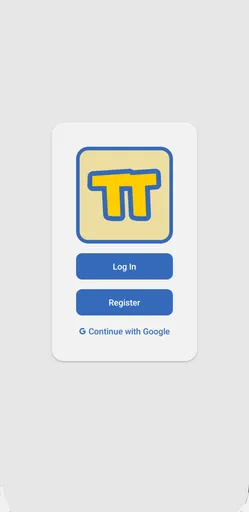
First, you can register using either a username, email, and password, or log in using your Google account.
Viewing and Creating Posts
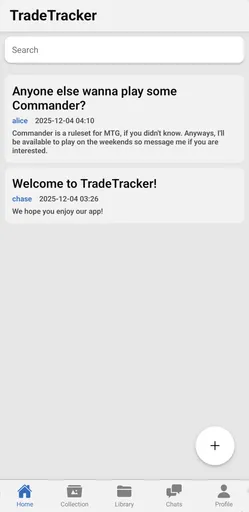
Once you sign in, you'll be placed on the "home" page, where you can see a list of posts from other users. You can tap on a post to view more details about it (and see comments), search through posts using the input at the top of the screen, or press the "+" button on the bottom right of the screen to create a new post.
Managing Your Collection
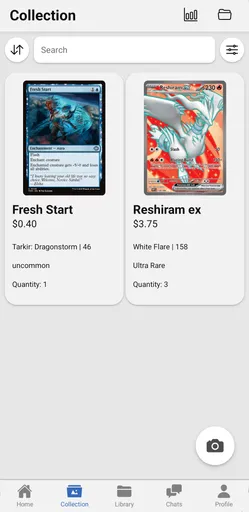
If you tap on the "Collection" tab on the bottom navigation bar, you'll be taken to the collection page, where you can see a list of your cards. The most important thing you can do on this screen is tapping the "+" button on the bottom right of the screen to scan cards into your collection. Otherwise, tapping on one of these cards will show you more details about the card, including its price history. You can search and filter through your collected cards using the buttons/input on the top of the screen (right above the cards), view your entire collection's price history with the button on the topmost bar, and create or view groupings using the button on the topmost bar.
Browsing the Card Library
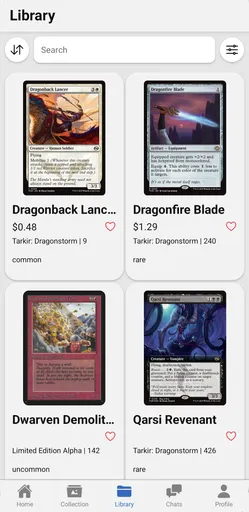
If you tap on the "Library" tab on the bottom navigation bar, you'll be taken to the library page, where you can see a list of all cards in our database. You can search and filter through these cards just like you can on the collection page, and you can tap on a card to view more details about it and add it to your collection.
Chatting and Trading with Others
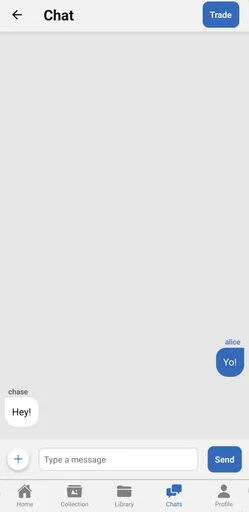
If you tap on the "Chat" tab on the bottom navigation bar, you'll be taken to the chat page, where you can chat and trade with other users.
Viewing and Editing Your Profile
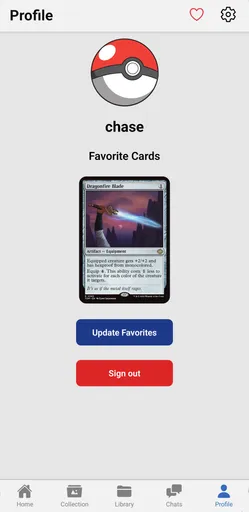
If you tap on the "Profile" tab on the bottom navigation bar, you'll be taken to the profile page, where you can view your profile, change your profile picture, view your wishlist, and alter your settings.